
Kill the feed.Keep theconversation.
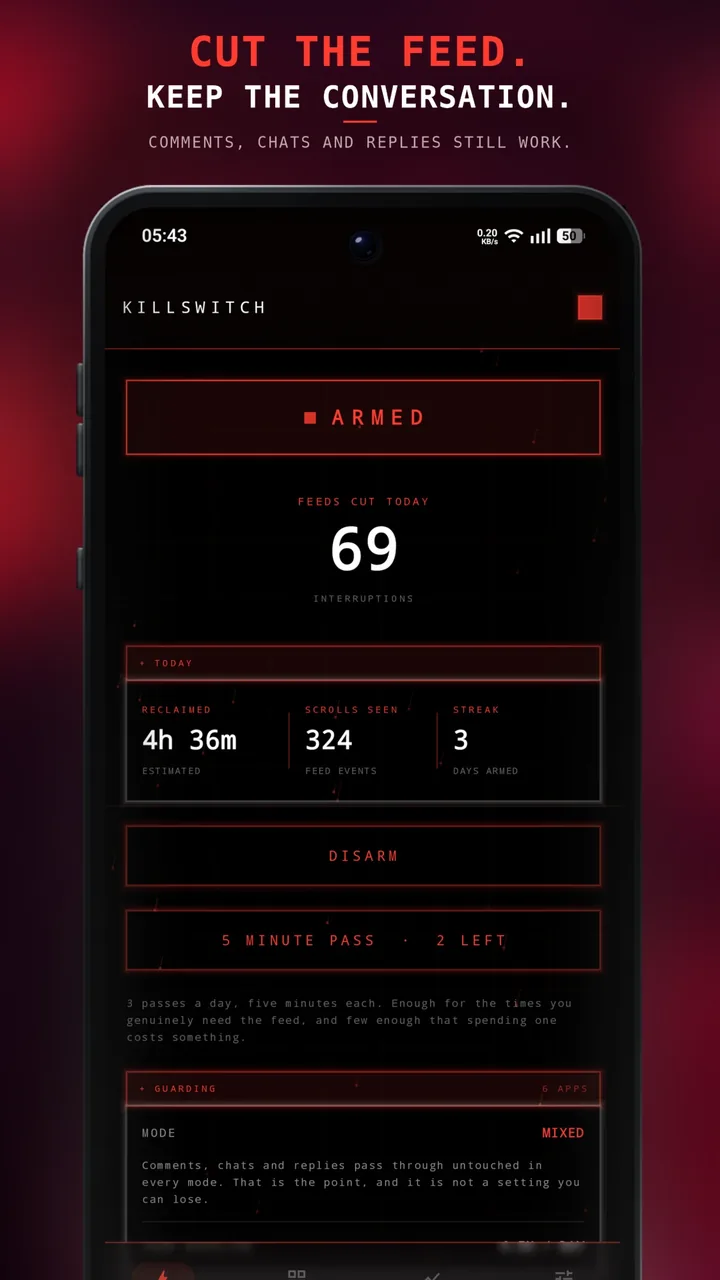
Killswitch cuts short videos and infinite scrolling in the apps you choose, while comments, chats and replies keep working.
The feed ends.
The chat doesn't.
-
>
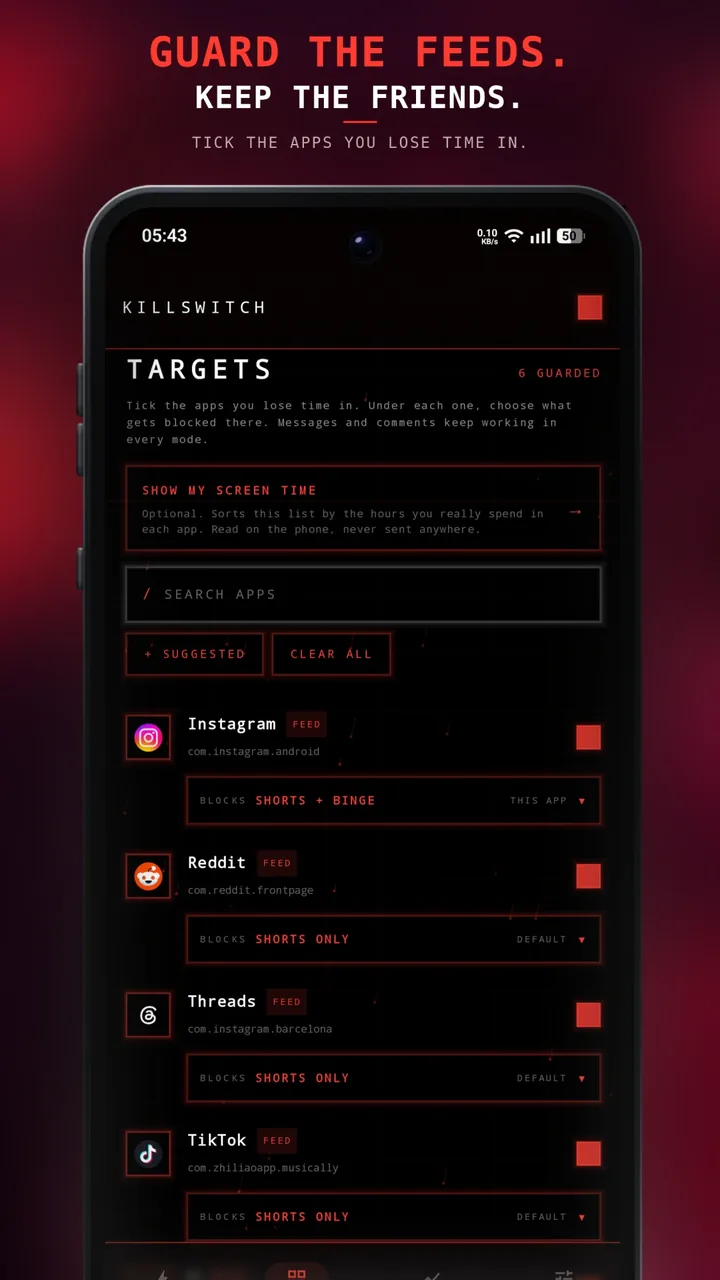
Pick targets
Tick the apps you lose time in on TARGETS. Allow screen time and the list is sorted by the hours you really spend in each. The service listens to those apps and nothing else.
-
>>
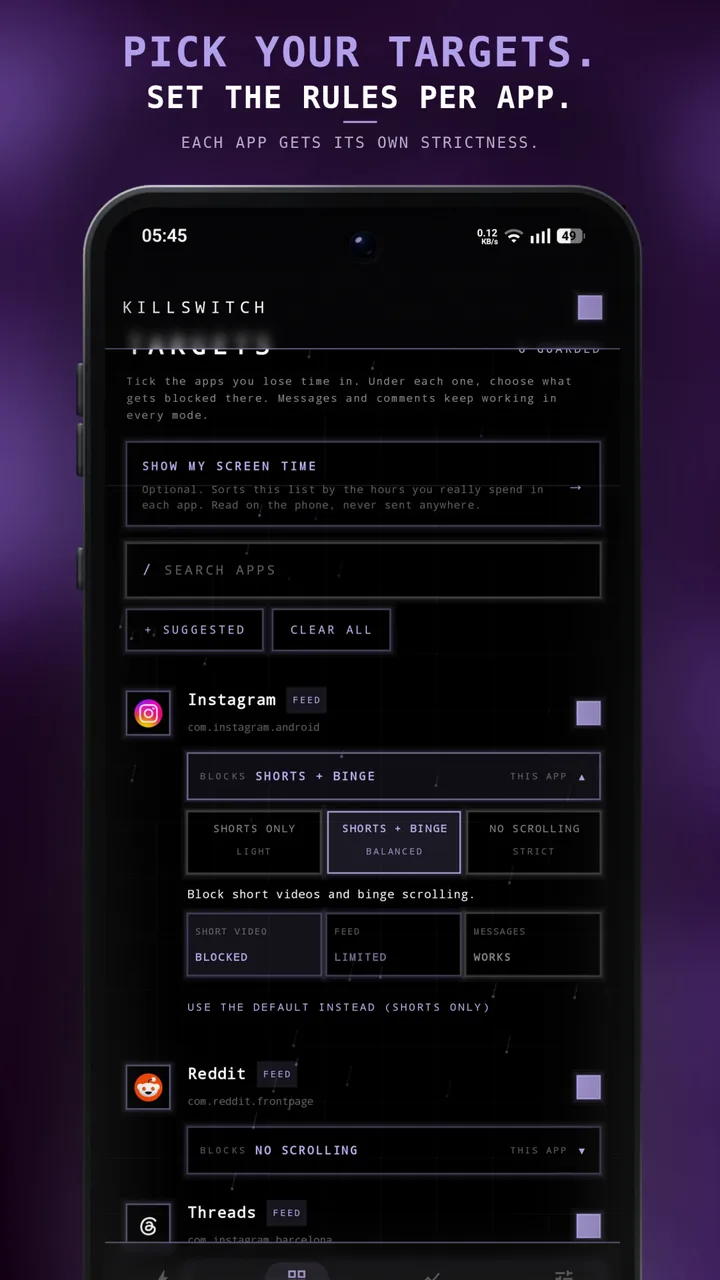
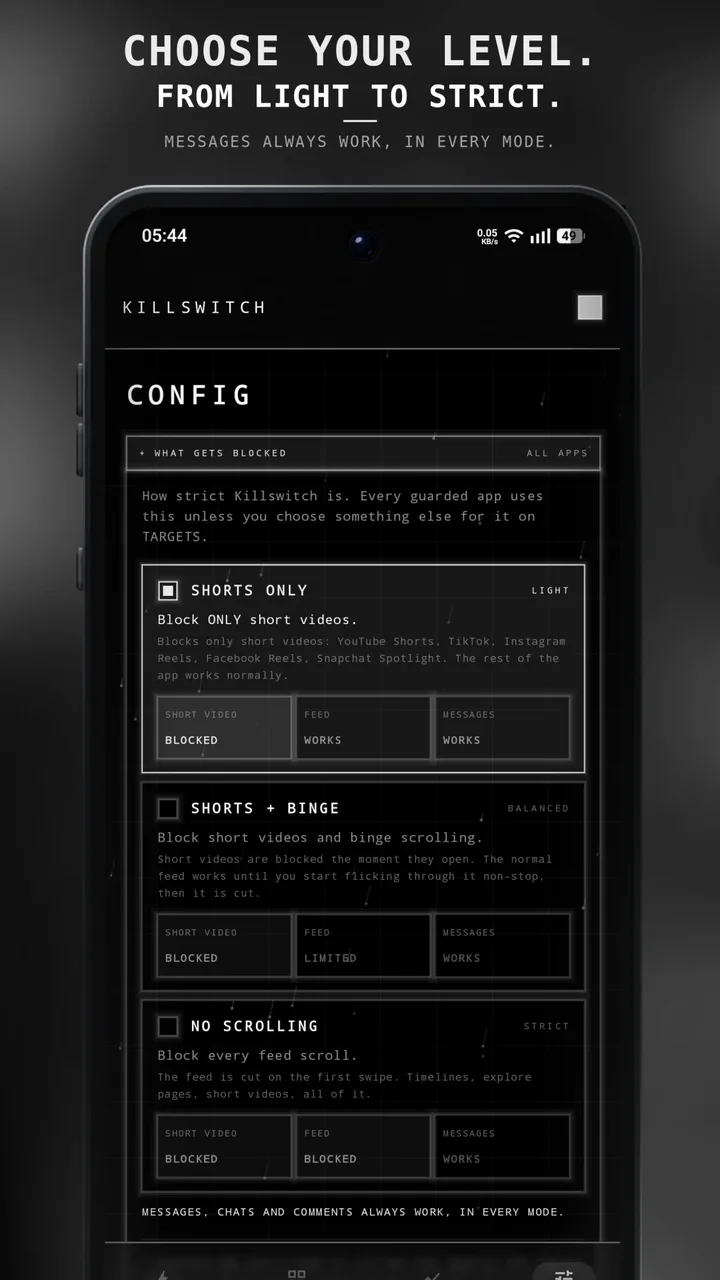
Choose your level
SHORTS ONLY blocks short videos and nothing else. SHORTS + BINGE also cuts the feed once you flick through it non-stop. NO SCROLLING cuts it on the first swipe. One level for every app, or one per app.
-
>>>
Get cut off
A block screen shows for about three seconds and names what it stopped: Shorts, Reels, TikToks. Then you land in the app's inbox, or outside the app if you prefer. Three 5-minute passes a day for when you really need the feed.
-
///
See the difference
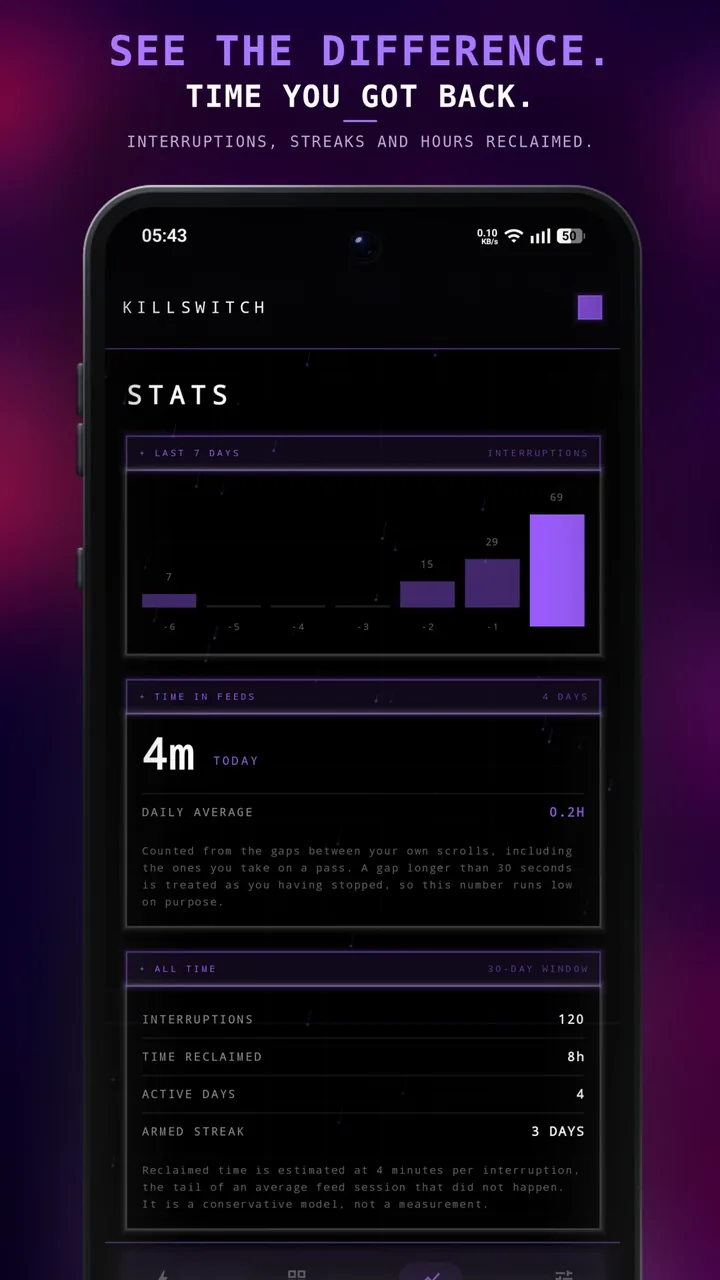
STATS shows interruptions over the last 7 days, time spent in feeds, time reclaimed and how many days in a row the guard has been armed.
Screens
Four tabs. Nothing else.
STATUS, TARGETS, STATS and CONFIG. Everything Killswitch does is on one of them.
Privacy
Nothing leaves your phone.
No account, no server, no analytics SDK, no tracking of any kind. Everything the app knows lives in its own storage on your phone, and uninstalling it deletes all of it.
- Account
- None
- Server
- None
- Analytics / crash SDK
- None
- Advertising
- None
- Network requests
- 0
- Works in airplane mode
- Yes, permanently
- QUERY_ALL_PACKAGES
- Not requested
- Text on screen
- Tapped button labels only, never kept
- Screen time
- Optional, never stored
- Stored on device
- Targets, counters, settings
Two permissions and one optional, fully explained.
AccessibilityService
Detecting the scroll
- Receives scroll, tap and screen-change events, only from the apps you ticked
- Reads screen structure (view IDs, class names, sizes) to tell a feed or a short video from a thread
- Reads only the short label of a button you tap, like Inbox, and keeps nothing
- Never reads your text, messages or comments
- No keylogging, no screenshots, no recording
- Off until you switch it on, off whenever you want
SYSTEM_ALERT_WINDOW
Drawing the block screen
- Names what it stopped (Shorts, Reels, TikToks) and shows your count for the day
- Dismisses itself after about three seconds
- No advertising, no tap collection
- Never appears over apps you did not guard
PACKAGE_USAGE_STATS
Showing your screen time (optional)
- Sorts TARGETS by the minutes a day you really spend in each feed app
- Looks only at the feed apps on Killswitch's list
- Read on the phone, never stored, never sent
- Killswitch works fully without it
Put the phone
down.